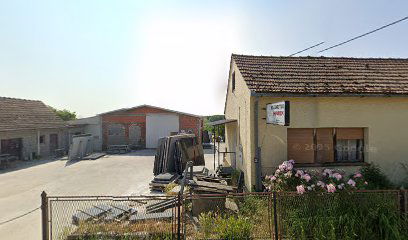
KAMEN KUČIŠ TRGOVINA I USLUGE, VL. NENAD KUČIŠ
Service Overview
In the world of software development, encountering errors is a routine part of the process. One such error that developers may face is the "Error thrown Call to undefined function dirnames()". This message signifies that the code is attempting to invoke a function named dirnames, but the function is not recognized by the interpreter. This commonly results from a typo, the absence of required libraries, or improper namespace usage.
Common Causes
- Typographical Errors: One of the most frequent reasons for this error is a misspelling of the function name.
- Missing Files: The necessary library containing the function may not be included in the current project.
- Namespace Issues: If the function is defined within a specific namespace and the call is made from outside that context, it can lead to this error.
Troubleshooting Steps
Here are some steps to take when encountering this error:
- Double-check the spelling of the function name in your code.
- Ensure that you have included all necessary files or libraries that define the function. Check your import statements.
- If the function belongs to a specific namespace, make sure you are correctly referencing it.
- Consult the documentation or resources for the language you are using to verify that the function exists and is supported.
Prevention Tips
To minimize the chances of running into such issues in the future, consider these practices:
- Code Reviews: Regularly review code with peers to catch potential errors early.
- Automate Tests: Use unit and integration tests to automatically check for common errors.
- Documentation: Keep your function documentation updated to make it easier for others (and yourself) to understand the codebase.
Conclusion
Understanding and troubleshooting the "Call to undefined function dirnames()" error is crucial for maintaining efficient coding practices. By following the outlined steps and tips, developers can swiftly resolve the issue while also improving their overall development workflow.
- Monday 7 AM to 4 PM
- Tuesday 7 AM to 4 PM
- Wednesday 7 AM to 4 PM
- Thursday 7 AM to 4 PM
- Friday 7 AM to 4 PM
- Saturday 7 AM to 1 PM
- Sunday Closed
 Google
Bereits zum 3. mal hat die Fa. Kamen Kučiš in meine Ferienhaus hier in Kroatien Arbeiten zur vollsten Zufriedenheit durchgeführt. Vom ersten Kontakt über das Ausmessen, der Qualität des Materials und die professionelle und saubere Verlegung durch die sehr freundlichen Mitarbeiter und nicht zuletzt dem Preis bin ich begeistert von der gesamten Ausführung der Tätigkeiten. Terminlich exakt der jeweiligen Absprachen. Hervorragende Arbeit. Ich kann diese Firma bedenkenlos weiterempfehlen und werde sie jedesmal wieder beauftragen falls entsprechende Arbeiten bei mir anfallen sollten. Vielen Dank Nenad Kučiš.
Google
Visoka kvaliteta usluge i materijala, majstori profesionalci, pedantni i brzi. Sve u skladu sa dogovorenim.
Google
Najbolji kamenjar u Zagorju i okolici. Sve napravljeno u roku, čak i prije. Kvaliteta top. Radnici ljubazni. Samo palac gore.
Google
Google
Nije u stanju godinu dana napravit fotografiju za spomenik,zadnji put je obećao za sve svete 2024 ali ništa,ni srama ni karaktera.
Google
Ok drustvo
Podobne storitve