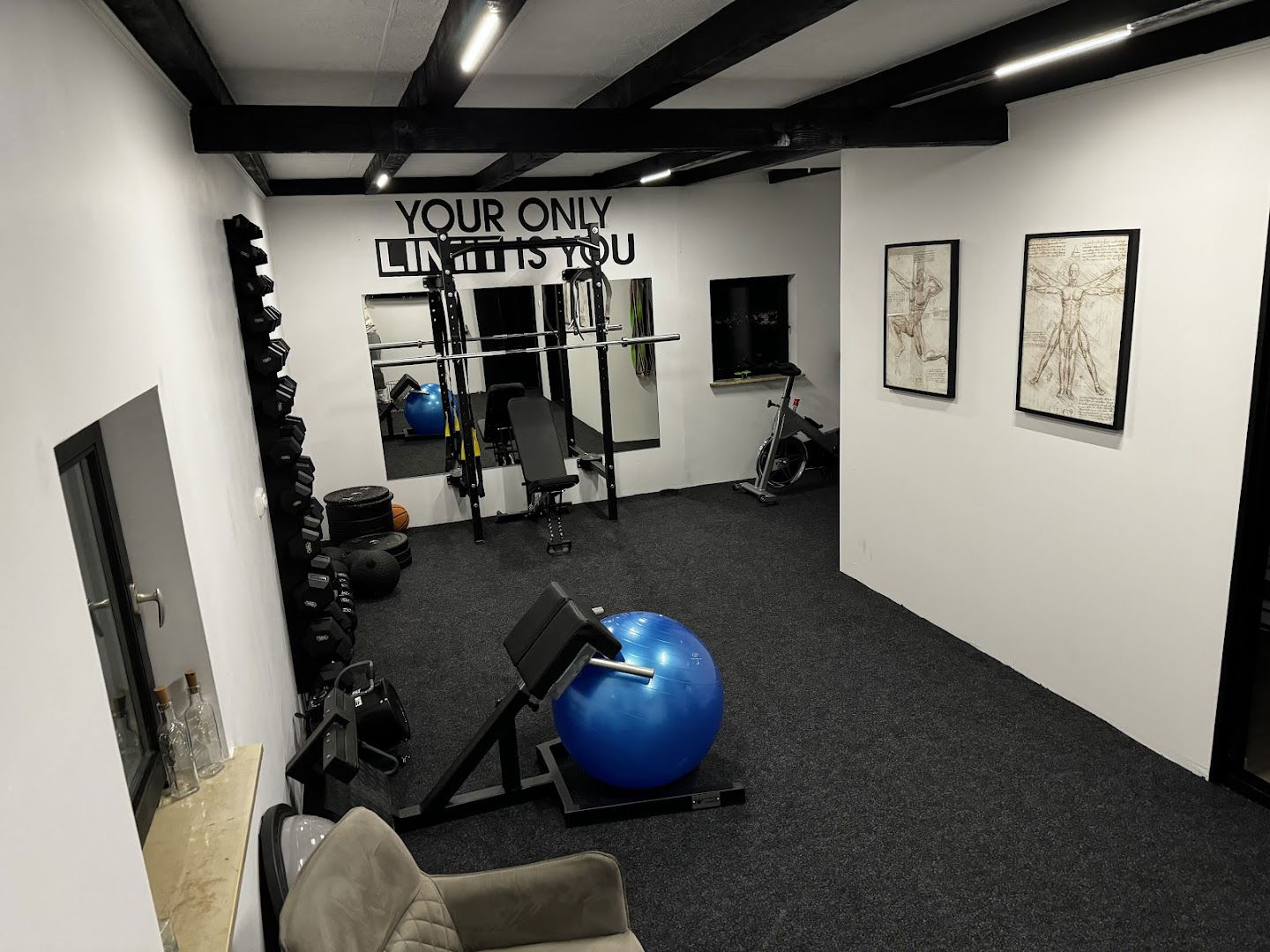
Fasciaduco - Sportska rehabilitacija, dijagnostika, masaža
Account Suspended: Overview
The message indicates that the account in question has been suspended, which means it is currently inactive and not available for use.
What Does It Mean?
When an account is suspended, it typically signifies that the account holder has violated terms of service, failed to adhere to payment schedules, or encountered technical issues. This action can prevent access to hosted content, emails, and any associated services.
Next Steps
If you receive a notification stating that your account has been suspended, here are the key steps to take:
| Action | Description |
|---|---|
| Contact Hosting Provider | Reach out to the customer support team of your hosting provider to understand the specifics of the suspension. |
| Review Account Status | Check any emails or notifications for reasons behind the suspension, including potential violations or missed payments. |
| Resolve Issues | Address any issues mentioned by the hosting provider, whether it’s correcting payment issues or adhering to guidelines. |
| Follow Up | Once issues are resolved, follow up with the hosting provider to request reinstatement of the account. |
Prevent Future Suspensions
To avoid future suspensions, consider implementing the following best practices:
- Stay informed about the terms of service provided by your hosting provider.
- Ensure timely payment of hosting fees and associated services.
- Regularly monitor account activity for unusual actions that could trigger a suspension.
Keeping these points in mind can help maintain a healthy status for your account and ensure continuous access to your services.
- Ulaz za invalidska kolica: Da
- Parking za invalidska kolica: Da
- Toalet dostupan za invalidska kolica: Da
- Toalet: Da
- Preporučuјu se sastanci: Da
- Monday 8 AM to 9 PM
- Tuesday 8 AM to 9 PM
- Wednesday 8 AM to 9 PM
- Thursday 8 AM to 9 PM
- Friday 8 AM to 9 PM
- Saturday 8 AM to 4 PM
- Sunday Closed
 Google
Nakon više pokušaja rehabilitacije nakon rekonstrukcije LCA, nikako na zelenu granu s koljenom… Filip ne samo da mi je izravnao nogu, nego mi je vratio samopouzdanje da mi svakodnevni život ne bude zaokupiran razmišljanjem o pokretljivosti! Uz redovite i intezivne treninge, sve se može! 💪
Google
Imao sam lom ulne i glavice IV. metakarpalne kosti. Došao sam na rehabilitaciju gdje me dočekao izuzetno profesionalan pristup. Filip je u potpunosti prilagodio terapije shodno nesvakidašnjim ozljedama. Iz tjedna u tjedan se osjetio konkretan napredak po planu koji je iskomuniciran u startu. Oporavak je uspješan, sve tegobe su eliminirane tijekom tretmana. Atmosfera je ugodna i prijateljska. Prostor je čist i sterilan, dogovor termina fleksibilan. Sve pohvale, preporuke svima i veliko hvala.
Google
Bio sam na višemjesečnoj rehabilitaciji zbog problema koji me dulje vrijeme mučio i želim reći da je tretman bio iznimno uspješan – problem je u potpunosti riješen. Fizioterapeut je radio vrlo stručno, temeljito i s jasnim planom. Terapije su bile prilagođene mom stanju i svakom su fazom donosile konkretan napredak. Posebno cijenim to što mi je uvijek objašnjavano što radimo i zašto, uz realna očekivanja i otvorenu komunikaciju. U mom slučaju radilo se o sportskoj rehabilitaciji, gdje su ključnu ulogu imale vježbe – prilagođene i postupno nadograđivane. Upravo su one bile ključne u vraćanju pune funkcionalnosti. Filip je opušten i pristupačan, ali istovremeno iznimno stručan i fokusiran na rezultat. Odlično balansira prijateljsku atmosferu i profesionalan pristup, što uvelike olakšava cijeli proces oporavka. Danas sam bez tegoba i ponovno potpuno zdrav. Topla preporuka svima koji traže ozbiljan i kvalitetan fizioterapijski tretman.
Google
Imala sam priliku sudjelovati na edukaciji iz terapijske masaže i cuppinga i mogu sa sigurnošću reći da je ovo iskustvo nadmašilo moja očekivanja. Edukacija je bila izuzetno informativna, stručno vođena i jasno strukturirana. Predavač Filip Džaja ima bogato znanje i iskustvo, što se osjetilo kroz praktične primjere, odgovore na pitanja i osobni pristup prilagođen polaznicima edukacije. Sve je bilo jasno, temeljito i odmah primjenjivo u praksi. Topla preporuka svima koji žele unaprijediti svoje znanje i praksu u području manualne terapije.
Google
Uz redovite sportske masaže koje mi pomažu u oporavku od jakih treninga, kod Filipa uvijek dobijem i korisne savjete za bilo kakav problem/bol koja je isto nekad prirodna posljedica takvih treninga. Vrlo stručna, brižna i strpljiva osoba.
Google
Jako zadovoljna, nakon prve masaže počela sam bolje spavati. Svakako preporučam svima.
Google
Sve odrađeno stručno,profesionalno i ljubazno.Također dobiveni savjeti za smanjenje rizika ponavljanja ozljede.Jedna velika preporuka.
Google
Profesionalno i stručno određena fizikalnu terapija i vježbe. Uspješan oporavak, sve pohvale Filipu. Samo tako naprijed! 💪👌
Google
Odlicna i strucna usluga. Preporucam svima
Google
Google
Profesionalan i topao pristup,ugodna atmosfera ,sve pohvale,preporucujem svima :)
Google
Sve preporuke za ovog čovjeka. Profesionalnost, ljubaznost i znanje na zavidnom nivou. Uz njegovu masažu i adekvatne vježbe poboljšala stanje i zdravlje svojih leđa.
Google
Svaka pohvala za stručnjaka! Odlična sportska masaža :)
Google
Google
Odlicna usluga i profesionalno osoblje. Za svaku preporuku!
Google
Podobne storitve

STIMULUS - Svetovanje, Izobraževanje in Terapevtske storitve , Primož Hostnik s.p.
5.0 (4 mnenj)
ljubljana - Šentvid