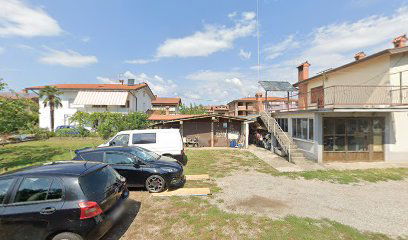
Benzinska postaja
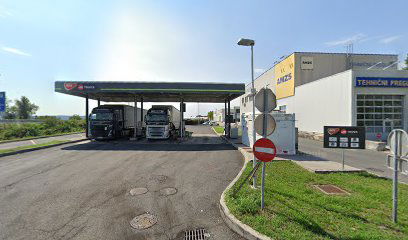
MOL (Truck station)
Preveri vsa mnenja, ocene, odpiralne čase ter kontaktne podatke za MOL (Truck station), benzinska postaja v mestu vrtojba.
MOL Service Overview
MOL is a service that requires JavaScript to function properly. It is essential for users to enable JavaScript in their web browsers in order to access the full range of functionalities offered by the MOL platform.
Why JavaScript is Important
JavaScript plays a crucial role in enhancing the user experience by allowing dynamic content and interactive features. Without it, users may encounter limitations that hinder navigation and usability.
Steps to Enable JavaScript
If you are facing issues with MOL, here’s how you can enable JavaScript in your browser for a seamless experience:
| Browser | Instructions |
|---|---|
| Chrome | Go to Settings > Privacy and security > Site Settings > JavaScript and enable it. |
| Firefox | Type about:config in the address bar, search for 'javascript.enabled', and set it to true. |
| Edge | Navigate to Settings > Cookies and site permissions > JavaScript and turn it on. |
Conclusion
Once JavaScript is enabled, users can fully utilize the MOL platform without facing any restrictions. This is vital for accessing the features and content that enhance the overall service experience. If you require further assistance, please check your browser's help documentation for more specific operating instructions.
Ponuda
- Dizelsko gorivo: Da
Oprema
- WC: Da
- ponedjeljak Otvoreno 24 sata
- utorak Otvoreno 24 sata
- srijeda Otvoreno 24 sata
- četvrtak Otvoreno 24 sata
- petak Otvoreno 24 sata
- subota Otvoreno 24 sata
- nedjelja Otvoreno 24 sata
Podobne storitve